NotesBuild notes
Right before an AI runs rm -rf: decisions behind a delete-blocking hook for Codex
DELETE-DENIED is a Codex PreToolUse hook that checks terminal delete commands right before they run. Why I chose this approach, and what it does and does not block.
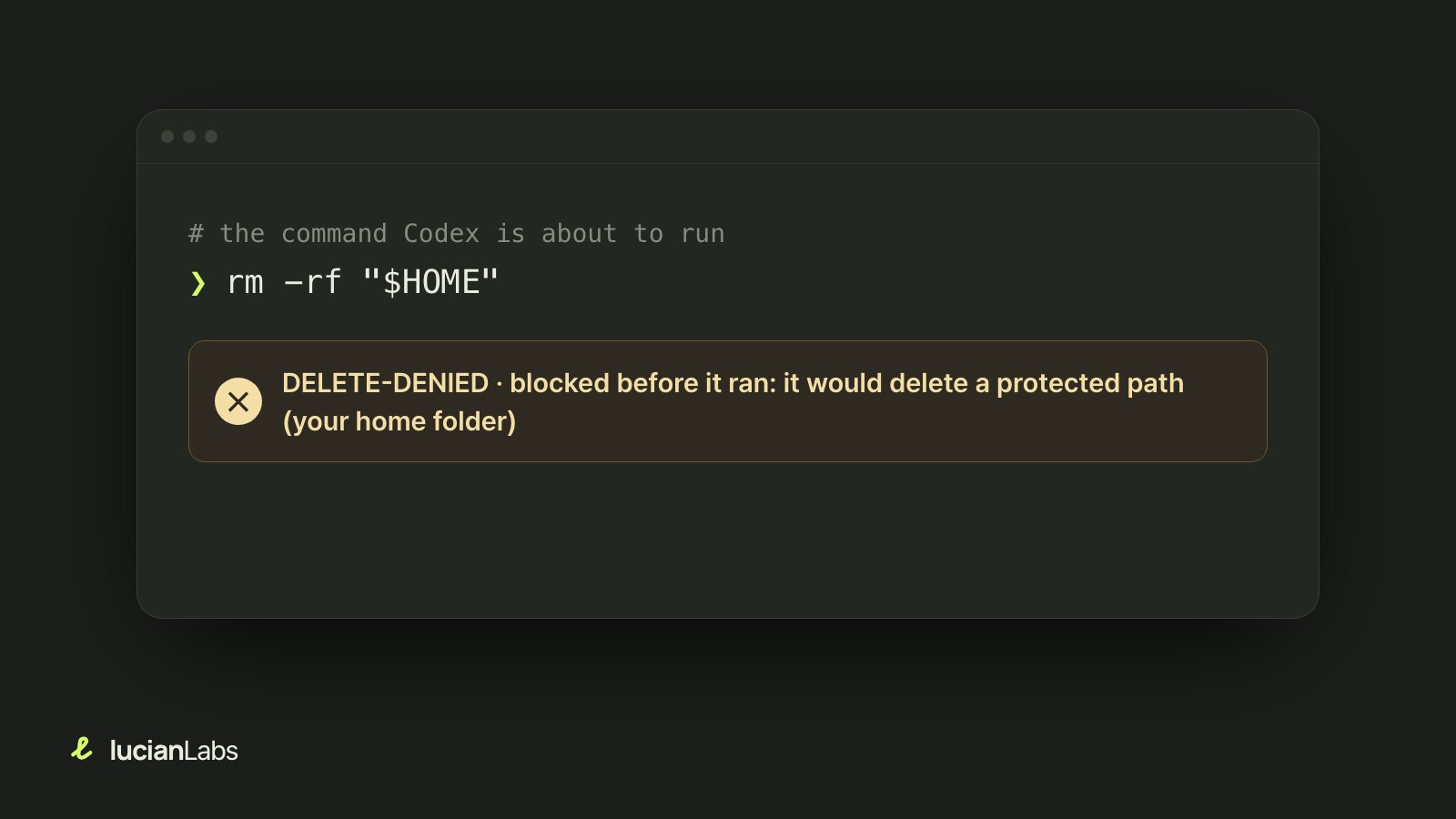
Handing the terminal to an AI coding agent is convenient. It builds, tests and tidies up files on its own. But a temporary folder path it is cleaning up can also resolve wrongly and wipe out your actual home folder. In 2026, a case was publicly reported in which a coding agent ran rm -rf on a path that appeared to be a user's Mac home folder.
DELETE-DENIED is a small safeguard built to prevent accidents like that. Right before Codex runs a terminal command, it checks whether the command is trying to delete an important parent folder. The question I spent the most time on while building it was where, and how far, to block.
Where to block: three candidates
There are several ways to block dangerous commands in Codex.
- Command rules: forbid certain command shapes. But rules alone struggle with cases where you have to work out what a path really points to, such as
$HOME, relative paths,..and symbolic links. They also struggle to handlefind -delete,rsync --deleteand shells that call other shells in a consistent way. - Narrowing permissions or the sandbox: reliable, but it also blocks normal builds, package installs and work on paths outside the project. It changes things a lot for people who use Full Access.
- A hook right before execution: Codex's official
PreToolUsehook inserts a check program right before a tool runs. It can interpret commands against real paths and leaves everything else alone.
Since accidents mostly happen in Codex's shell commands, I judged that a hook checking the single point right before that call was the smallest boundary. I also considered adding rules alongside it, but managing the priority between two policies was too much of a burden, so the hook alone is the decision point.
The path one command takes
Every time Codex calls the Bash tool, the check program runs once.
- It reads the input, with size caps (256KiB total, 64KiB for the command). Anything bigger than expected is refused.
- Quick pre-check: if there is no delete-related command, it passes immediately without even opening the config file. Most commands end here.
- If there is a delete candidate, it reads the protected-path config and compares target paths resolved to their real locations. It follows
~,..and symbolic links, and for paths that do not exist yet it looks at the nearest existing parent. - If the command tries to delete a protected path or a parent of the current working folder, it is designed to return a deny response. Cleaning up specific subfolders inside the project is allowed.
- When the check ends, the process exits too.
Protected paths are the file system root, the folder that holds user folders, the home folder, folders like Documents, Desktop and Downloads, and every ancestor of the folder you are working in. That last one matters. It stops rm -rf .. from running while you are working in a project folder.
The delete forms the checker can read are rm, rmdir, unlink, find -delete, xargs rm, rsync --delete, git clean, plus wrappers around them and nested shells. It interprets POSIX shells, PowerShell, Windows cmd and limited Node.js and Python one-liners.
When in doubt, block
Some commands cannot be fully interpreted: a variable only known at run time, or a command built and run with backticks or eval. I set principles for these cases.
- If there is a recursive delete or a wildcard and the target cannot be known, deny.
- Malformed input, input over the size limits and errors in the config file are also denied.
- On the other hand, if the inside of
$(...)is a simple read or diagnostic command, it passes. Blocking every substitution would block ordinary commands too.
When a safeguard blocks too often, people turn it off. So I tuned the bar to block only what is clearly dangerous and what is dangerous but cannot be interpreted, and let everything else through.
Light enough to run every time
The hook runs on every Bash call, not only delete commands. Codex hooks are matched by tool name (^Bash$), not by command content. That is why speed mattered.
- The checker is a single executable written in Rust. It uses no other runtime (Python, Node and so on) and no network.
- No process stays running between calls. It does not keep watching folders either.
- Management commands (install, status, pause) are split into a separate executable so they are not loaded on every call.
Careful at install time too
Installing a safeguard must not break other settings.
- It writes only under the current user's
~/.codex. It does not touch system folders. - The existing hook config file is backed up once at first, and only the DELETE-DENIED entry is added or removed.
- Downloaded releases are checked with SHA-256.
- Codex requires the user's trust before running a hook. The installer uses the Codex app-server to add exactly this one hook to the trust list, then reads it back to confirm. If the app-server is unavailable, it writes nothing and stops.
- The status is not hidden. If it is installed but not yet trusted, it shows "waiting for trust," not "protecting."
What it cannot block
This is the part I most wanted to state plainly. DELETE-DENIED is not an OS-wide delete blocker.
- It checks only terminal commands passed to Codex's
Bashhook. Codex changing files another way, operating a file manager app directly, or working on remote servers, clouds and databases is out of scope. - The Codex docs themselves describe
PreToolUseas a safeguard, not a complete enforcement boundary. There is no guarantee that every shell call goes through the hook. - It cannot stop a race where the path changes right after the check. It is not a kernel-level lock.
- Tests confirm that the hook returns a deny response, but I have not yet verified end to end that the real Codex app receives that response and stops execution. The repository docs also mark this as unverified.
- Claude Code is not supported yet.
So when I describe this tool, I do not say "it blocks every delete." I say only that "it is designed to check deletes of important paths in Codex terminal commands passed to the hook, within its supported scope." When a safeguard is described as bigger than it is, users neglect the other precautions they really need, such as backups.
To try it
Send this sentence as is to the main Codex session, and Codex will run the install command for your operating system.
Install DELETE-DENIED. Run the one-line command for the current OS from the README now: https://github.com/Seokwoooo/DELETE-DENIEDThe manual install commands, how to pause and resume it, and the full list of what it protects are on the project page and in the repository docs. And whatever safeguard you use, keeping separate backups of important folders is the surest protection.