From any AI to any AI
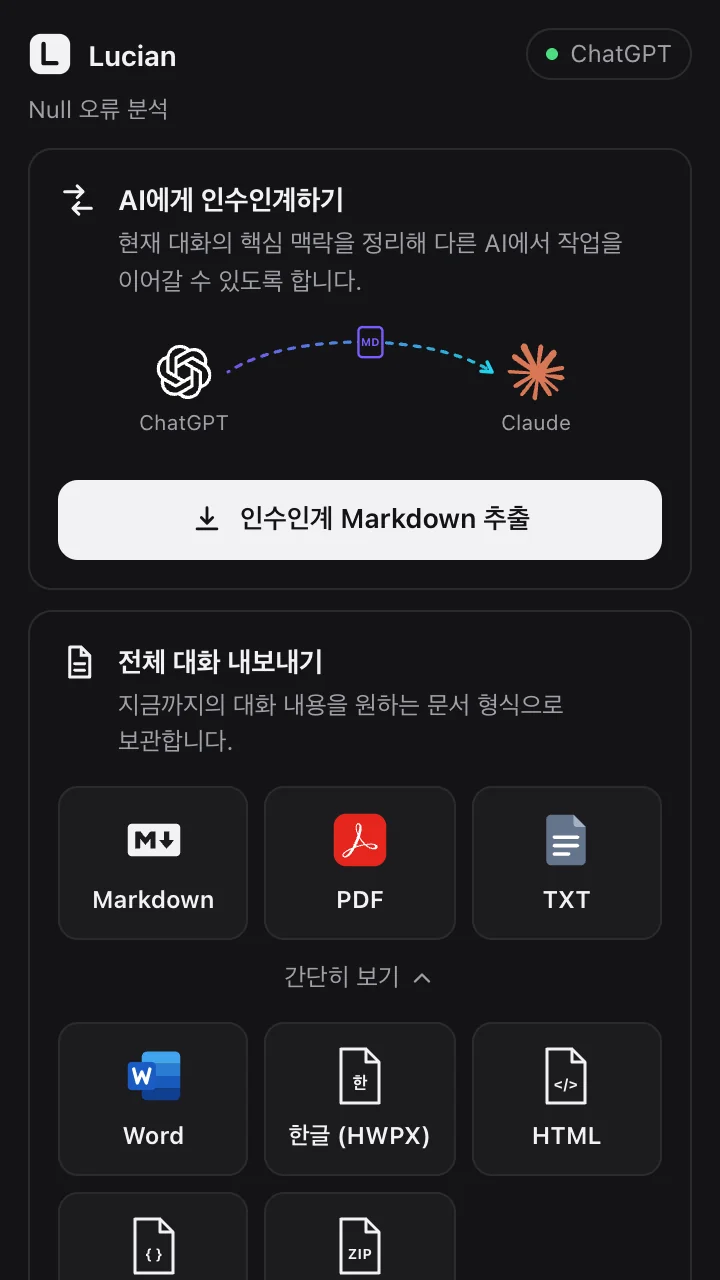
Move work from ChatGPT to Claude, or from Gemini to a fresh chat. Just attach one file: it tells the next AI to sum up where things stand first and propose the next step.
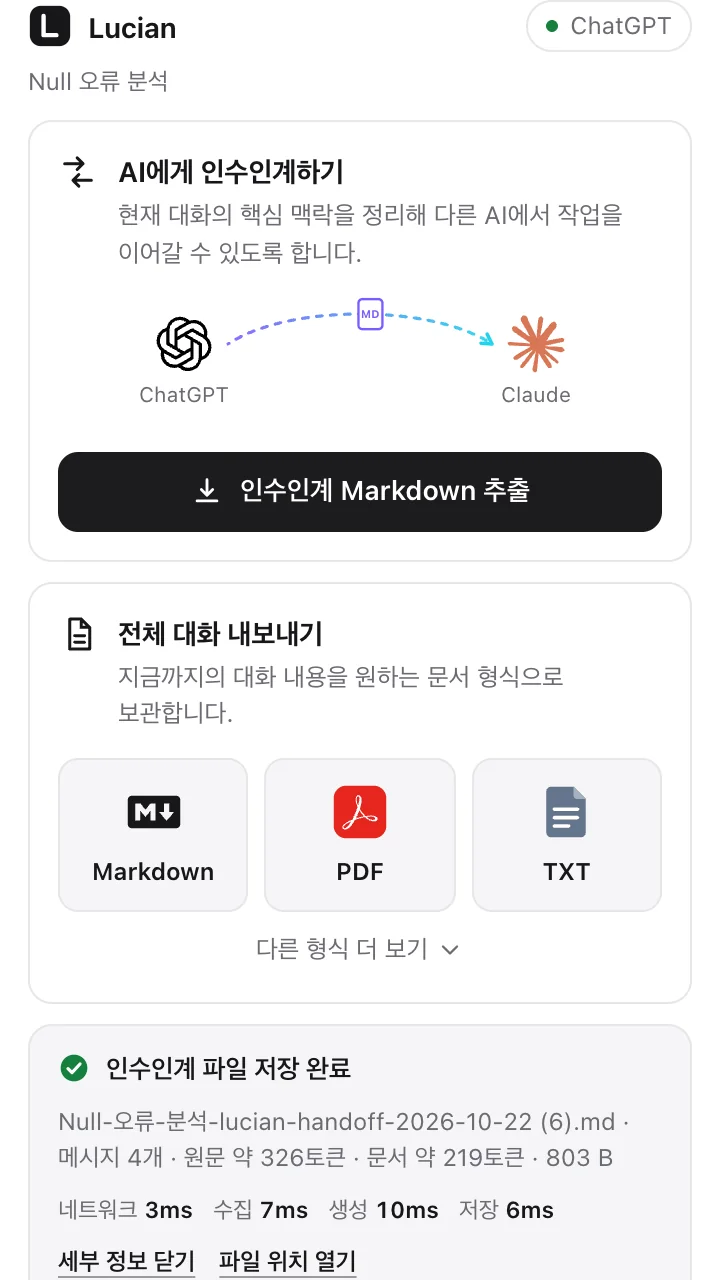
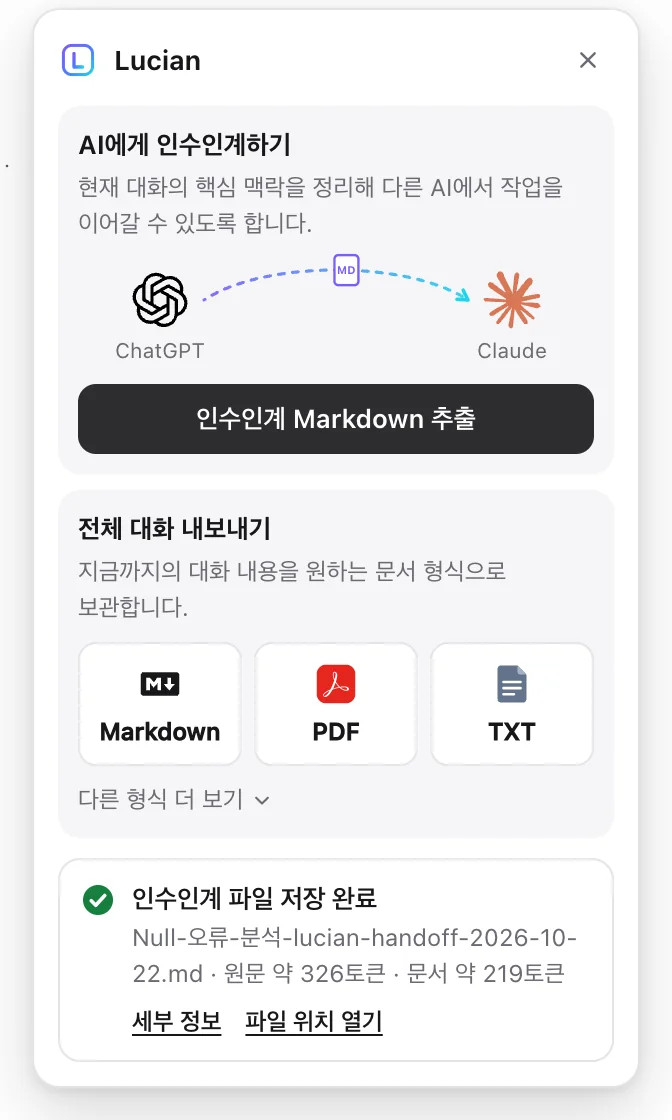
Demo: on a ChatGPT conversation, click the Lucian button under an answer, choose “Extract handoff Markdown”, and the chat is collected, analyzed and saved as a handoff file
 Introducing · Chrome extension
Hand off a ChatGPT, Claude, Gemini or Grok chat to another AI in one click, or keep it as a PDF, Word or Hangul document.
The longer you work with an AI, the longer the chat gets, and the decisions that matter get buried somewhere inside. Open a new chat and you start explaining from scratch. Lucian lifts that context out, hands it to the next AI, and keeps the whole conversation as a document.
01Getting started
When an answer finishes, a Lucian button with a soft violet–cyan ring appears next to copy and retry. The Lucian icon in your browser toolbar opens the same thing.
Try the button on the right. That's the real panel.
AI answer
Switching to Tauri. The frontend stays as it is; the backend will be written in Rust.
// src/main.rs
fn main() {
    tauri::Builder::default()
        .run(tauri::generate_context!())
        .expect("error");
}
02Hand off to another AI
How to read the file, what to follow first, the source service and its size, all at the top.
Rule-based code picks sentences straight from the chat. No LLM, embeddings or external API. Every line points back to its source, like [#m1].
Earlier decisions stay, marked with the message where they changed.
Repeated instructions keep their count, failed attempts keep their cause.
The last request and the next steps are laid out, so the next AI simply continues.
 Notes app171 messages
You#m1
I want to build an internal notes desktop app. The goal is a light, fast cross-platform app.
ChatGPT#m2
Great. Electron, Tauri and Flutter are all options.
You#m3
Then let's build it with Electron. And never use jQuery.
You#m165
Memory use is too high. Let's switch from Electron to Tauri. Again: never use jQuery.
ChatGPT#m166
Switching to Tauri. The frontend stays as it is; the backend will be written in Rust.
You#m167
Good. Tauri is final.
ChatGPT#m168
Project setup is done, and the note list and saving work too. Next steps: implement auto-update, set up code signing.
You#m169
The build failed with error: linker cc not found. The cause was missing Xcode command line tools.
ChatGPT#m170
Good. Installing the Xcode command line tools fixed the linker problem.
You#m171
Now please implement auto-update.
# AI work handoff — Notes app
> To the AI reading this — verbatim excerpts selected from the original chat by a rule-based algorithm. No new facts were generated.
> 1. Read “Confirmed decisions” and “User instructions & constraints” first and follow them.
## 0. Source
ServiceChatGPT
Messages171
Source size~19,864 tokens
Modekey excerpts + recent transcript
## 1. Core goal
I want to build an internal notes desktop app. [#m1]
The goal is a light, fast cross-platform app. [#m1]
## 2. Confirmed decisions (latest first priority)
Let's switch from Electron to Tauri. [#m165]
Tauri is final. [#m167]
### Earlier decisions that were changed or dropped
Then let's build it with Electron. [#m3] → changed in [#m165] (the latest decision above wins)
## 3. User instructions · constraints · prohibitions
### Constraints & prohibitions
Again: never use jQuery. [#m3] [#m165] (emphasized 2 times)
## 8. Causes of earlier failed attempts
The build failed with error: linker cc not found. [#m169]
## 5. Current state (last point of work)
Last user request [#m171]
> Now please implement auto-update.
## 7. Next steps
Implement auto-update [#m168]
Set up code signing [#m168]
Move work from ChatGPT to Claude, or from Gemini to a fresh chat. Just attach one file: it tells the next AI to sum up where things stand first and propose the next step.
0
Extractive, so it never makes up facts.
⚠️ may have been changed in [#m170] — confirm
It never assumes a change from a keyword alone; the next AI is told to check with you.
docs.tauri.app/start?utm_source=chatgpt.com
Uncited search results, tracking parameters, citation chips and UI markup are dropped; each sentence appears once.
_(… 18 lines omitted — the same or nearly the same text is in [#m24] below)_
Ask for rewrites as often as you like: the last version stays in full, earlier ones keep only what changed.
Attachments · spec.txt
Pasted text and text files go in verbatim. PDFs and images are listed so the next AI can ask for them.
Notes-app-lucian-handoff-2026-10-18.md
Even in a crowded Downloads folder, you know which chat it came from.
03By the numbers
4,514 messages · from data to finished Markdown · Chrome 155, M2 Pro. 0.85 s on a rebuild with the analysis cache.
Each section gets a token share and fills it by importance, between 8k and 32k tokens. A handoff is always smaller than the full export; short chats keep only their key sentences.
Measured on synthetic chats: can an AI that reads only the handoff answer questions correctly? 78.8% → 97.6% at the default budget.
Rule-based TypeScript picks the sentences. The method was chosen by comparing 19 algorithms on 27 real conversations.
04Export the full conversation
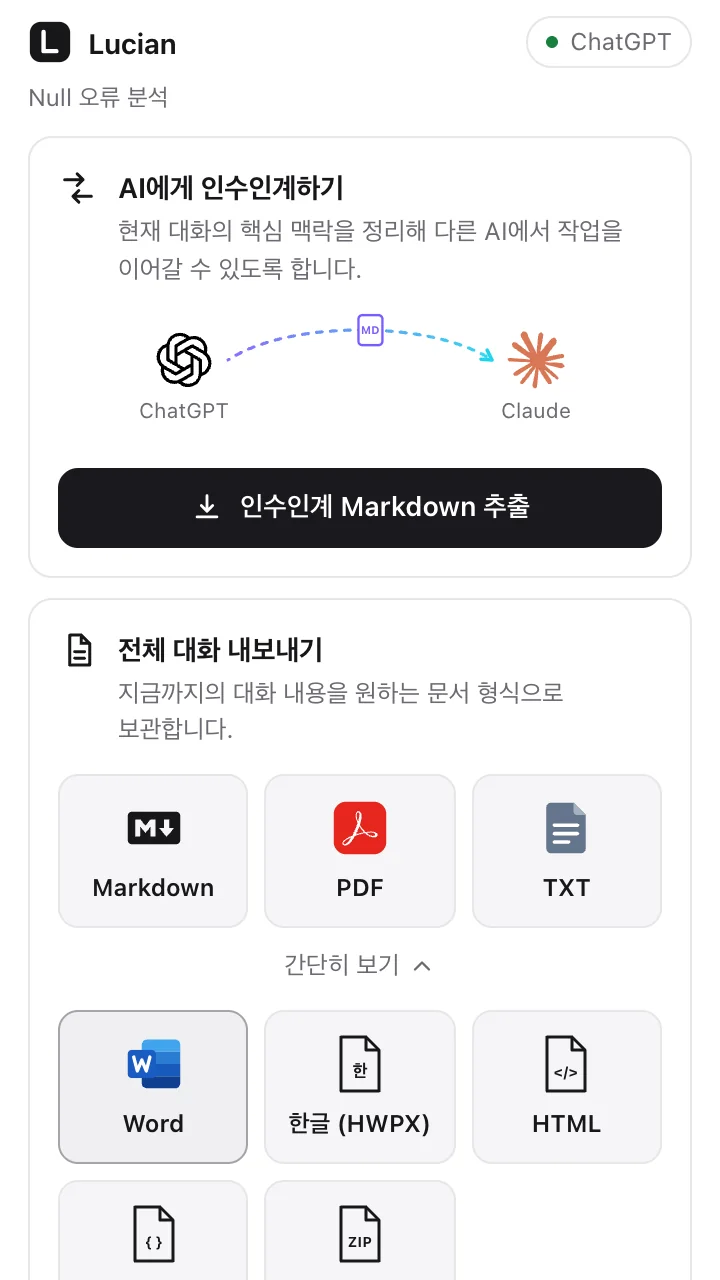
Markdown, PDF and TXT right away; open “More formats” for Word, Hangul (HWPX), HTML, JSON and a full ZIP backup. Code, tables, math, images and attachment info are kept.
.md
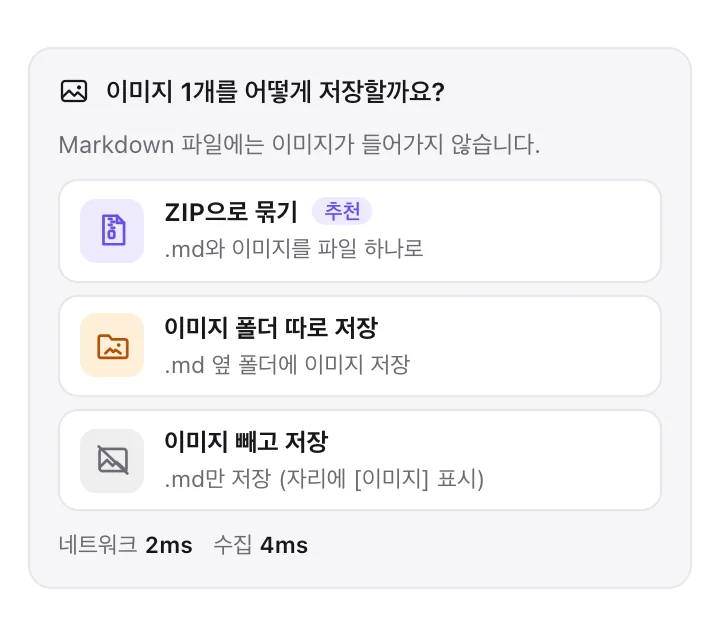
For chats with images, choose each time: one ZIP, an image folder next to the file, or no images.
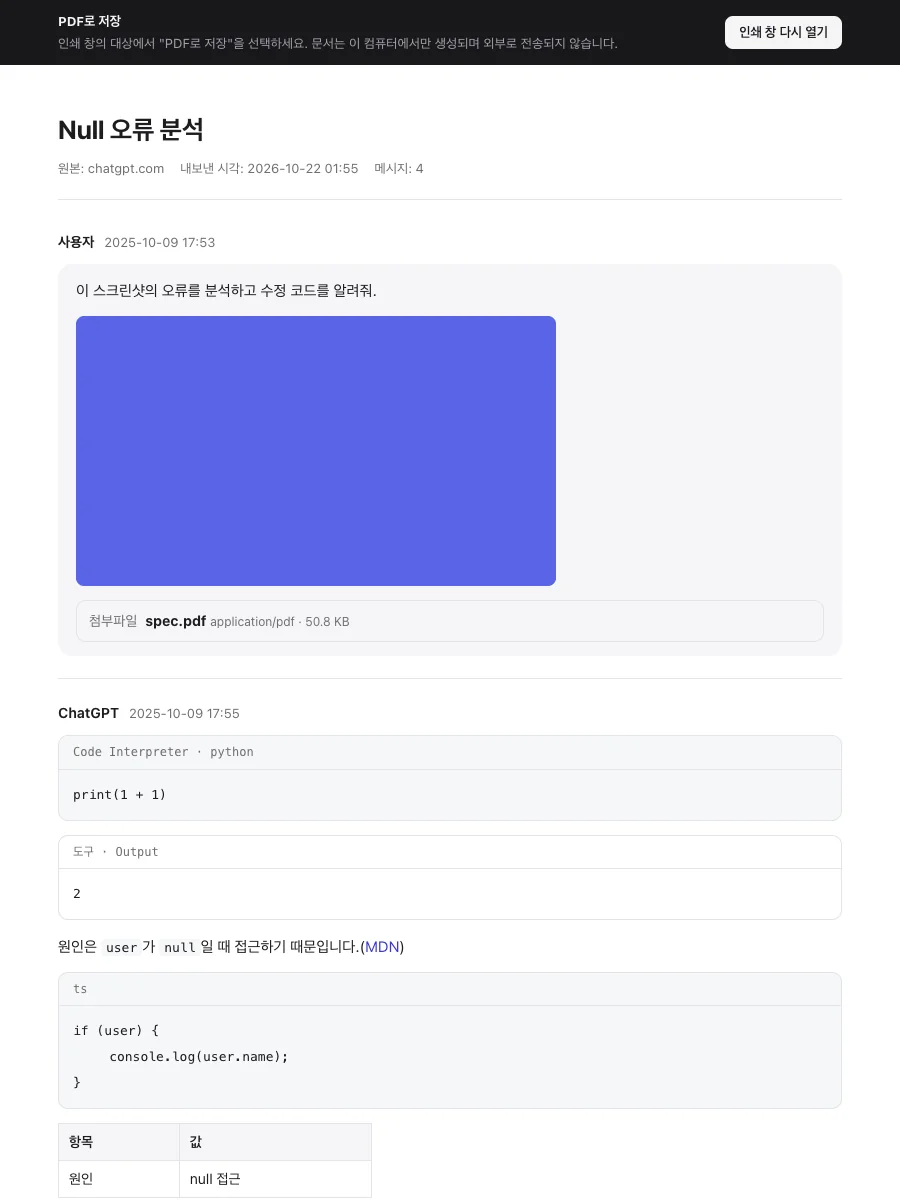
Made on your computer with Chrome's print engine. Korean fonts, tables, code, math and images as they are. No PDF server.
.txt
Plain text that opens anywhere. Math stays as LaTeX source.
.docx
A Word document with headings, tables, code blocks and images. Heavy modules load only when needed.
.hwpx
Not a renamed file. A real OWPML package that passes the official XSD schema validation.
.html
A single page that opens in any browser, with math already rendered.
.json
Keeps thinking, alternate branches and uncited search results in their original structure.
.zip
Three documents, images, attachments and a verification report in one file. Anything missing is listed.
Message counts against the source, images and attachments, math rendering and file integrity (ZIP/XML structure, download size) are checked. Gaps are shown as warnings or failures, never hidden.
A document's source list holds only what the answer actually cited; uncited search results are kept in the JSON and ZIP backups.
05Privacy
ChatGPTchatgpt.comCanvas · uploaded & generated images · attachment files Claudeclaude.aiArtifacts · web search sources
 Geminigemini.google.comLong chats collected page by page
 Grokgrok.comGenerated & attached images · sources
| Item | ChatGPT | Claude | Gemini | Grok |
|---|---|---|---|---|
| Collection | Internal API + DOM fallback | Internal API + DOM fallback | batchexecute + DOM fallback | REST + DOM fallback |
| Text, code, tables, lists | ✅ | ✅ | ✅ | ✅ |
| Math | ✅ | ✅ | ✅ | ✅ |
| Images | ✅ uploaded & generated | ✅ upload previews | ✅ | ✅ generated & attached |
| Attachment files (ZIP) | ✅ file API | △ when a URL exists | ❌ names only | △ when a URL exists |
| Canvas & artifacts | ✅ Canvas | ✅ Artifacts | — | — |
| Sources & citations | ✅ | ✅ web search | ❌ not parsed | ✅ |
| Thinking | kept in JSON/ZIP | kept in JSON/ZIP | ❌ not parsed | kept in JSON/ZIP |
| Long chats | ✅ | ✅ | ✅ paged collection | ✅ |
| Button under answers | ✅ | ✅ on hover for older answers | ✅ | ✅ |
If Lucian can't read an internal API's answer, it reads the page (DOM) instead and records a warning in the verification. Share links (/share/…) and chat list pages are not supported.
06Install
Requires Chrome 116 or later. Free and open source under the MIT license.
Recommended
Install in one click and get new versions automatically. The simplest way.
Manual install
For installing without the store or pinning a version. Updates are not automatic.
Unzip the file you downloaded.
lucian-ai-chat-exporter-v1.3.10.zipType this into Chrome's address bar.
chrome://extensionsTurn on “Developer mode” in the top-right corner.
Click “Load unpacked” and pick the unzipped folder (the one with manifest.json).
Reload your ChatGPT, Claude, Gemini or Grok chat. Done.
To update, press Lucian's reload (↻) button in chrome://extensions, then reload any open chat tabs.
Node.js 20+. Pick the built dist/ folder in step 4 above.
$ git clone https://github.com/Seokwoooo/lucian-ai-chat-exporter.git
$ cd lucian-ai-chat-exporter
$ npm ci
$ npm run build # → dist/Yes. It's open source under the MIT license. No sign-up, no payment, no settings.
No. Rule-based code quotes sentences straight from the chat, without any LLM, embeddings or external API. It can't invent facts, and every line points back to its source as [#mN]. Long chats shrink to about 12% of the full export (8k–32k tokens), and no handoff is ever more than 2/3 of it. Short chats keep only their key sentences, in order.
No. Collection and file building both happen inside your browser. There are no servers, AI APIs or analytics.
Because it's made on your computer by Chrome's print engine. Choose “Save as PDF” as the destination. There's no reliable local way for an extension to save a PDF directly, and this avoids any PDF server.
A Markdown file can't hold images, and service image links only open while you're logged in. So you choose each time: one ZIP, an image folder next to the file, or no images.
Internal APIs and page structures can change without notice. If Lucian can't read the API's answer, it reads the page instead and flags it in the verification. When a service briefly refuses requests (429), it doesn't scroll the page: it waits the time the service asks for, or builds the file from the copy it saved earlier and says so. Each site has its own adapter file, so a fix is a one-file change.
Small, fast and accurate. Just two features.
ChatGPT/OpenAI, Claude/Anthropic, Gemini/Google and Grok/xAI names and logos are trademarks of their owners, used only to name the supported services. This project is not affiliated with any of them.